Think Canva is just for drag-and-drop designs? Think again. With the rise of Canva AI, your visual content can now rival pro-level creatives—without the learning curve. From instant layouts to image generation, these smart tools are changing the game. Curious how it all works? Let’s uncover the Canva AI secrets every designer needs to try now.
Why Canva AI Is Changing the Design Game
Canva AI isn’t just another trendy tool—it’s rapidly transforming the way designers and marketers approach visual content. Whether you’re a complete beginner or a seasoned pro, Canva’s suite of AI-powered features removes the guesswork and slashes design time. From auto-generating layouts to enhancing image quality in seconds, Canva AI makes professional design both accessible and astonishingly efficient.
The real magic? You don’t need to start from scratch. Canva AI offers intelligent design suggestions, personalized templates, and even AI-generated images—all within a clean, user-friendly interface.
Key Features That Make Canva AI a Must-Try
Let’s break down why Canva AI stands out in a growing sea of creative tools:
- Magic Design: Upload an image or type a few words, and Canva AI suggests complete design layouts instantly.
- AI Image Generator: Create images from simple prompts, just like Midjourney—but easier for everyday use.
- Background Remover: One click and your subject pops against any background you want.
- Text to Image: Turn ideas into visuals using prompts that generate original content.
- AI Writing Assistant: Generate content snippets, headlines, or social captions while you design.
Canva AI is not just about automation; it’s about amplifying your creativity. It works like a co-pilot that helps you refine ideas faster than ever before.
How to Use Canva AI for Flawless Visuals
You don’t need design experience to create something extraordinary. Here’s how to start:
- Log in to your Canva account and open a new project.
- Click on the “Apps” tab and select “Text to Image.” Describe the visual you want.
- Use “Magic Design” to generate a full layout from your uploaded image or keywords.
- Apply the Background Remover or use AI-enhanced filters to polish your design.
- Export in various formats or publish directly to your favorite platforms.
The result? Flawless, eye-catching graphics in minutes instead of hours.
Midjourney Prompts for Amazing AI Artwork

If you’re already exploring Midjourney, you know its results can be mind-blowing—if you use the right prompts. Here are a few high-performing ones:
/imagine "a futuristic city skyline at golden hour, hyper-realistic, cinematic lighting"
/imagine "a cozy cabin in a snowstorm, watercolor style, ultra-detailed"
/imagine "vintage 1960s cafe, film grain, overhead perspective"
These prompts can be used to create stunning backgrounds or featured elements in your Canva designs. Once you generate an image in Midjourney, import it into Canva and layer it with text, icons, or animations for added depth.
For more examples, check out Midjourney Prompts That Will Make Your Art Go Viral.
Fotor AI: Quick Image Enhancements for Marketers

Sometimes, you don’t need a complete overhaul—just quick, smart tweaks. That’s where Fotor AI shines.
It offers:
- One-tap photo enhancement for lighting, contrast, and clarity
- AI face retouching that smooths skin without looking fake
- Background and object removal that’s surprisingly precise
Fotor is a favorite for marketers who need polished visuals fast—think social ads, product photos, or headshots. You can use it standalone or pair with Canva for a complete workflow.
Explore more in Fotor AI: How to Instantly Improve Your Image Strategy.
Best AI Tools for Creating Stunning Visual Content
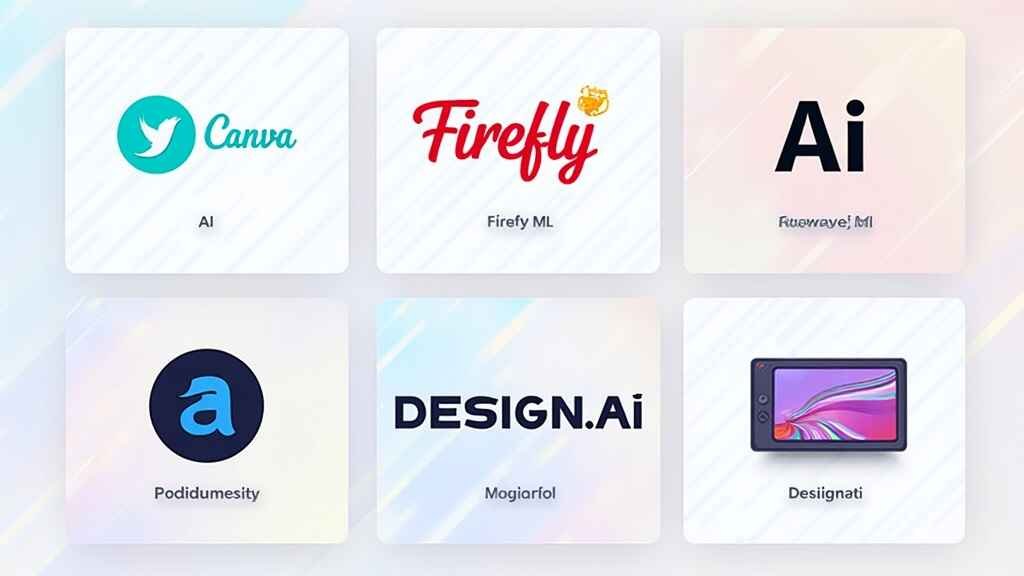
While Canva AI is a powerhouse, it’s even more effective when paired with other AI design tools. Here are three you should consider adding to your workflow:
- Runway ML: Known for its video editing and background generation features. Great for motion graphics or social media video intros.
- Adobe Firefly: Offers advanced generative fills and creative effects—ideal for more artistic or surreal edits.
- Designs.ai: Automatically generates logos, videos, and entire branding kits from a short brief.
These platforms offer unique strengths that complement Canva’s ease of use. Depending on your design goals, you can use them to push your creativity further.
For a deeper dive, check out Why These AI Tools Are Perfect for Visual Content Creators.
Common Mistakes to Avoid with AI Design Tools
Even the best AI tools can’t fix poor creative direction. Here are mistakes to watch out for:
- Overusing AI-generated elements: Too many synthetic graphics can make your designs feel impersonal.
- Ignoring brand consistency: AI can create beautiful work—but it still needs your brand fonts, colors, and tone.
- Failing to edit the AI output: Think of AI as a draft assistant. Always fine-tune results before publishing.
- Skipping accessibility: AI won’t remind you to check contrast ratios or alt text—so be sure you do.
Use AI as your creative partner, not your replacement.
Final Thoughts: Is Canva AI Worth It for You?
Absolutely. Whether you’re creating social media content, presentations, or ads, Canva AI offers a beautifully simple way to get polished results fast. Its growing toolkit is intuitive, efficient, and surprisingly powerful for both amateurs and pros.
Plus, it plays well with other industry-leading tools. Combine it with platforms like Fotor, Midjourney, or Adobe Firefly, and you’ll unlock even greater creative potential.
Want to see it in action? Start exploring directly from the source:
👉 Visit Canva AI now and boost your visual design game today.
Need more ideas? Browse The Secret AI Tools Helping Designers Win Big in 2025 or explore AI Tools for Stunning Designs for your next big inspiration.
Canva AI isn’t just smart—it’s a creative shortcut that delivers stunning visuals at record speed. Whether you’re designing for social media, business, or branding, its intuitive features give you the edge. Ready to revolutionize your content workflow? Start exploring Canva AI today and bring your boldest ideas to life.