Ever wondered how some creators churn out stunning videos from blog posts in minutes? Enter Pictory AI—the tool that’s transforming the way marketers and creators approach video production. In a world driven by visual content, speed and quality are everything. Whether you’re a content marketer, social media manager, or solo entrepreneur, this tool can be a total game-changer. In this article, you’ll discover how to turn plain text into scroll-stopping videos without hiring a video editor or spending hours in editing software. Ready to see how it works? Let’s dive in.
What Is Pictory AI and Why Creators Love It
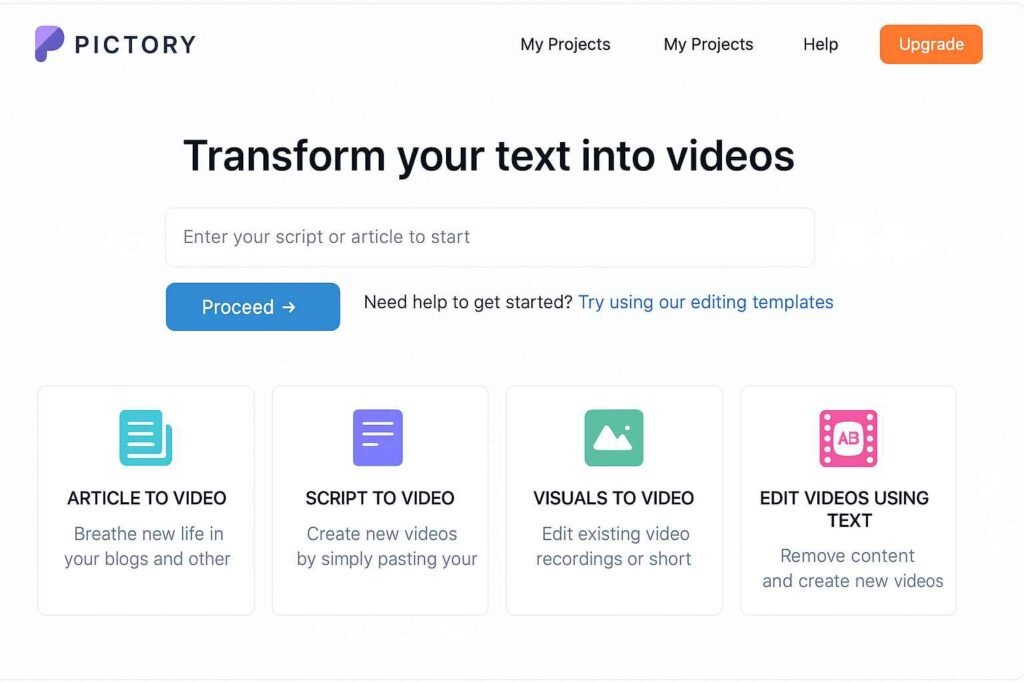
Pictory AI is an innovative tool that helps content creators turn text into captivating videos within minutes. Whether you’re a solo entrepreneur, a marketer, or a YouTuber, Pictory enables high-quality video generation without expensive software or editing skills. It uses advanced AI to process blog posts, scripts, or even raw text, turning them into fully-branded, editable videos. The platform is trusted by thousands of creators thanks to its ease of use and professional output.
According to Pictory’s official website, users report saving hours of editing time per week. If you’re aiming to streamline your content workflow, this AI tool could be your new secret weapon.
Key Features That Make Pictory Stand Out
- Text-to-Video: Convert articles or scripts into short, engaging videos.
- Auto Summarization: Condenses long content into quick summaries ideal for social media.
- Voiceover Options: Choose AI-generated voices or upload your own.
- Brand Templates: Maintain consistent visuals with preloaded or custom branding kits.
- Captioning & Subtitles: Automatic, editable captions boost accessibility and retention.
These features make it especially useful for repurposing long-form content like blog posts into shareable video snippets.
Generating Video Scripts with Pictory AI
Script creation is often the most daunting part of video production. Thankfully, Pictory simplifies this process significantly. With just a few clicks, you can generate high-quality video scripts using AI — perfect for those who aren’t confident writers or simply want to speed things up.
The platform offers multiple input options:
- Paste a blog post or article URL and let Pictory summarize the key points.
- Write from scratch using its AI script assistant, which provides topic suggestions and outlines.
Want to dive deeper into this feature? Check out this in-depth breakdown on Generating Video Scripts with Pictory AI.
Converting Blog Posts and Articles Into Video Scripts
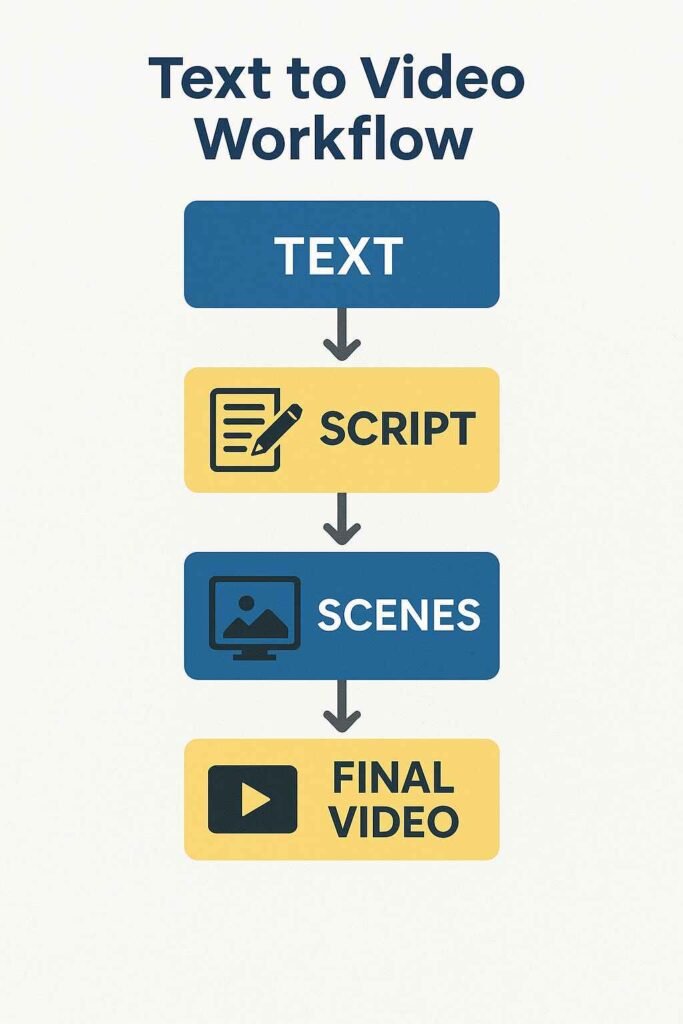
If you’re a blogger or content marketer, this is where Pictory shines. Paste your article URL and the AI will extract the highlights. It then maps those into a visual storyboard complete with suggested visuals and transitions.
AI Script Writing vs Manual Input
You can either let Pictory craft the entire script or edit the AI-generated text manually. This dual approach ensures creative control while maximizing speed. The AI often suggests catchy intros, calls-to-action, and punchy section headers to keep viewers engaged.
Editing YouTube Videos with Pictory AI
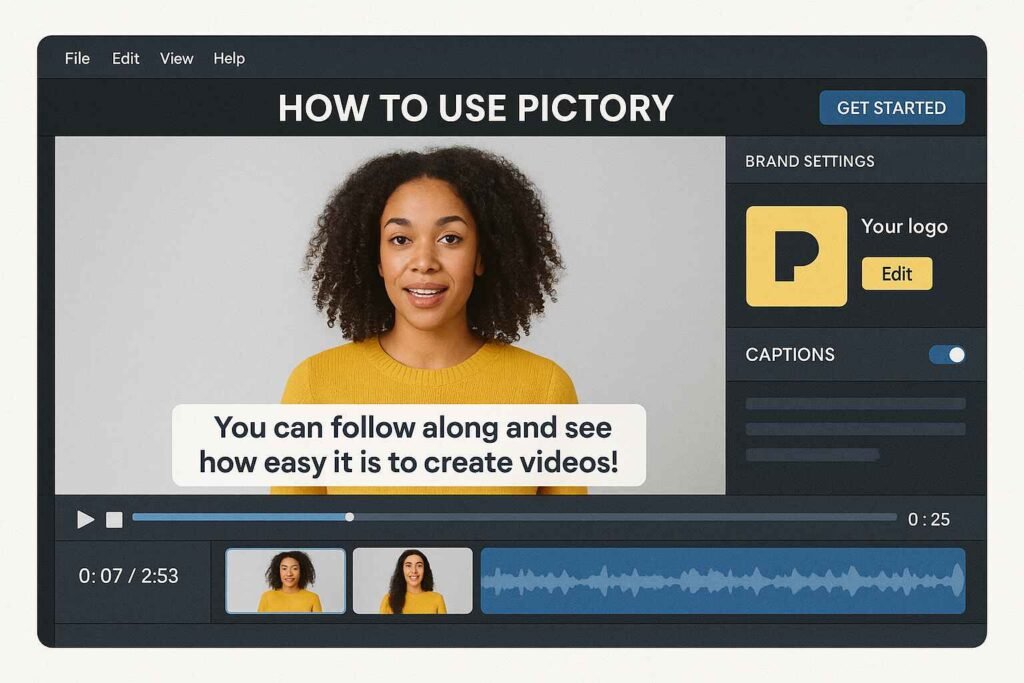
Many YouTubers are turning to Pictory to simplify post-production. Why? Because it automates many tedious tasks like trimming silence, adding captions, or syncing visuals to audio. You can upload your raw footage and Pictory will guide you through the enhancement process.
More details can be found in our full guide: Editing YouTube Videos with Pictory AI.
Uploading Raw Footage for AI Enhancement
Simply upload your video, and Pictory will automatically suggest edits like zoom cuts, jump cuts, and caption overlays. You can then fine-tune transitions, apply brand elements, and preview the final product instantly.
Auto-Captioning, Subtitles, and Branding Tools
With Pictory’s subtitle tool, you don’t need to rely on YouTube’s often flawed auto-captions. Captions can be edited directly on-screen, with styles and fonts to match your brand. Logo overlays, color schemes, and fonts can be saved as templates — making future edits lightning-fast.
Pictory AI Pricing Plans and Value
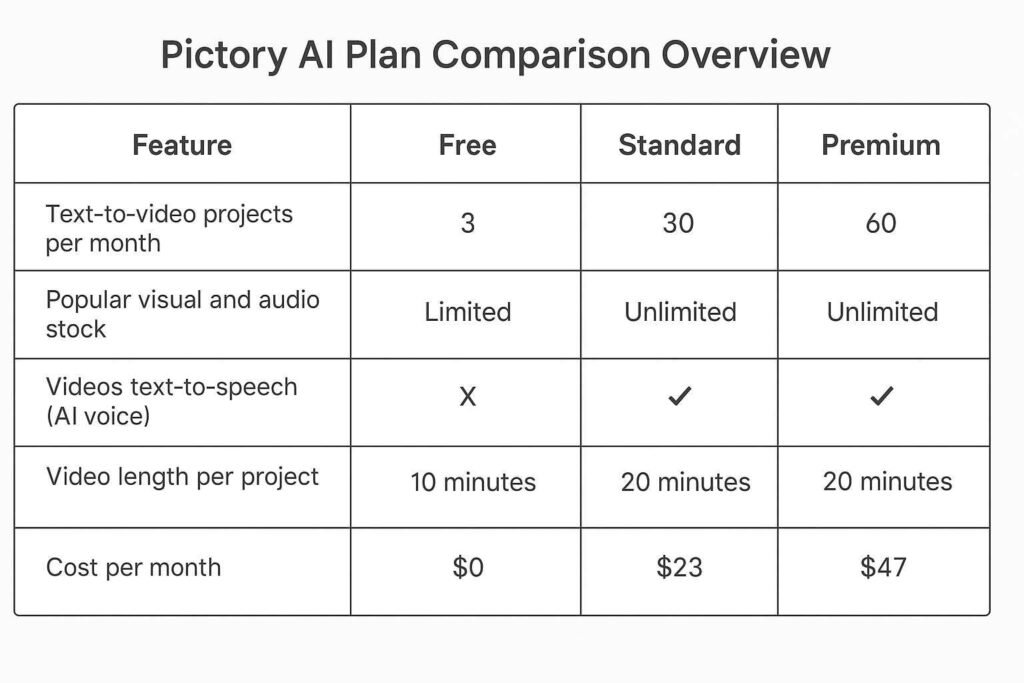
Pictory’s pricing is designed for scalability — making it accessible whether you’re just starting out or managing a large content team. The plans range from a free trial to professional-grade subscriptions. Each plan includes a different number of video exports, AI voiceovers, and brand kits.
You can explore full plan comparisons on our resource here: Pictory AI Pricing Plans and Value.
Free vs Paid Options
The free version lets you test drive the platform with limited exports. Paid tiers unlock features like longer video durations, full HD downloads, and advanced branding capabilities. Most users find the mid-tier plan offers the best cost-to-value ratio.
Is It Worth the Investment for Solo Creators?
Absolutely. For under the cost of one outsourced video edit, solo creators can produce unlimited branded content each month. It’s a game-changer for coaches, course creators, and digital marketers who need fast turnaround without compromising on quality.
Real-World Use Cases: From Course Creators to Agencies
Pictory is already making waves across different industries. Here are a few examples:
- Course Creators: Repurpose lesson transcripts into visual explainers for better engagement.
- Agencies: Offer branded video summaries to clients as value-added services.
- eCommerce: Turn product descriptions and reviews into short ads or how-to videos.
- Social Media Managers: Quickly turn blog posts into carousel-style video content.
Its intuitive interface and quick rendering make it a time-saving asset across business types.
Limitations and Things to Watch Out For
While Pictory is impressive, it’s not perfect. Here are a few caveats:
- AI voiceovers may sound robotic if overused — mixing them with human narration helps.
- Limited video styles may not suit all brand aesthetics.
- Export limits on lower-tier plans can be restrictive for heavy users.
Still, many of these issues are easily addressed with workarounds or by upgrading to higher tiers.
Final Thoughts: Should You Try Pictory for Video Creation?
If your goal is to simplify content production, Pictory is a no-brainer. It combines automation with customization, making it ideal for creators and marketers alike. While it’s not a full substitute for high-end editors, it offers incredible value — especially when speed and scalability matter most.
Before committing, you might want to compare it with other editors in our guide: How to Choose the Right AI Editor for Your Video Projects.
Start with the free trial on Pictory’s official site — you may never go back to editing the old way again.
Conclusion:
Creating professional videos no longer requires a production team, expensive software, or advanced editing skills. With Pictory AI, turning your ideas or written content into polished videos is not just possible—it’s incredibly easy. From generating scripts to editing YouTube-ready clips, Pictory offers an all-in-one solution for creators and marketers who value both speed and quality. If you’re serious about scaling your video content, it’s worth giving this tool a try. Explore its features, test its capabilities, and see how it stacks up in our guide to the best AI video editing tools. Your next great video could be just a few clicks away.